English
  简体中文
简体中文  Deutsch
  Español
  Français
  Italiano
  日本語
日本語  한국어
한국어  Polski
  Português
  Русский
  Türkçe
  Nederlands
  Tiếng Việt
  ไทย
ไทย 
With the development of technology, mobile phones are becoming more and more important, in addition to daily calls, they can also be used for online shopping, payment, entertainment, smart control of home appliances including LED lamps,etc.
Lots of customer bought our strips with normal controller, as the time goes, some of them lost remote control, which makes the strips unable to be controlled. So it’s more popular to get new style controller instead, like the one with bluetooth, Wi-Fi, or Zigbee control. This article tells how to control your strip(without integrated bluetooth and Wi-Fi module) by smart phones.
Method 1: Bluetooth controller
Step-by-step guide
1. Buy a bluetooth controller, make sure it’s compatible to your strip characteristics,like power, channel,voltage,etc. On the other hand, it come with an APP which you can control strip on it.
2. Connect controllers’ input to power supply and output to strip. Usually it has marked ports on controller, for example, R(Red), G(Green), B(Blue), +(common Positive),make sure RGB strip channel is connected to corresponding terminal correctly.
3. Install APP, usually controller comes with a QR code on label or user manual, scan the QR code,download and install APP in your phone. Choose the correct version to your phone system. Common APPs are Magic Home, Tuya Smart, Smart Life , Govee Home.
4. Set up the controller, firstly, turn on the controller and bluetooth in your phone. Then open the APP, follow the instructions to pair the phone and controller via bluetooth.
5. Control the strip, the APP has a lot of control functions, you can dim the brightness, change color, switch to different mode, create schedule, and even sync the lights to music, depending on the APP’s features.
Method 2: Wi-Fi controller
Setting up Wi-Fi controller is almost the same as bluetooth controller, just connect the phone with controller via Wi-Fi network instead of bluetooth. You can do it easily refer to the controller’s manual.
Method 3: Zigbee
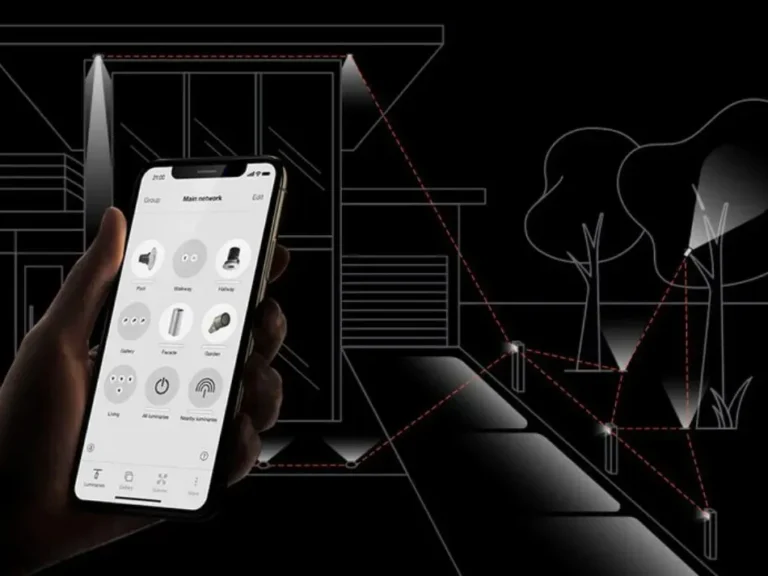
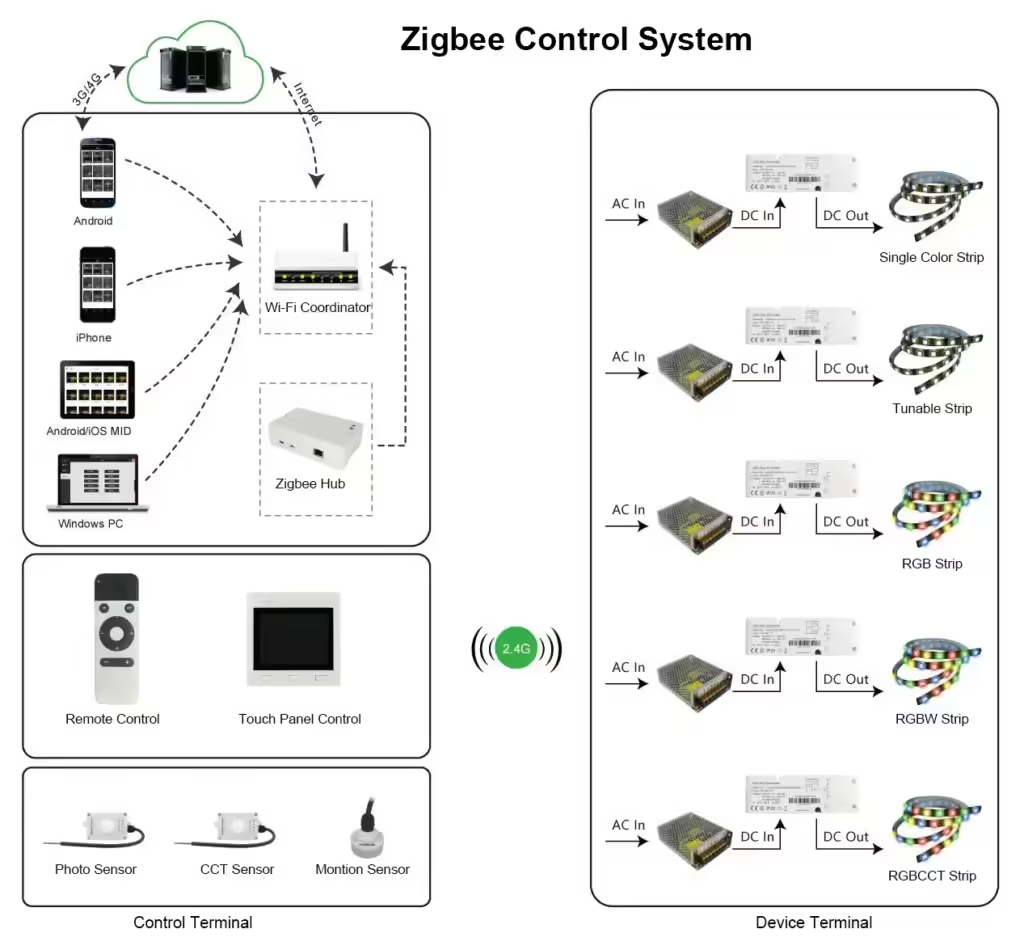
Zigbee is wireless communication protocol commonly used for smart control system for big lighting projects. Except Zigbee controller, it also needs a special Zigbee hub(Zigbee gateway). Here is a connection diagram for your reference.

Bluetooth vs Wi-Fi vs Zigbee
Bluetooth:
Advantage: Directly connect to the phone, no internet needed, fast response.
Disadvantage: Limited distance, Limited lights quantity, bluetooth version compatibility issue.
Wi-Fi:
Advantage: Unlimited distance, you can control your home lamps even you are 1000Km away as long as you can use internet. Much more intelligent control functions like scenes control, smart speaker control.
Disadvantage: Wi-Fi needed, potential hacker attack risk, signal interference risk.
Zigbee:
Advantage: Ultra low power consumption, reliable by mesh network technology, better safety than Wi-Fi, suitable for large-scale lighting control.
Disadvantage: Complex setup, limited distance, low bandwidth (no effect on lighting control), higher costs.
Related Posts